Mobile security solution that blocks malicious apps in advance based on the official market whitelist
nProtect FakeOut is based on whitelist and app risk analysis based on official app market standards. It protects users from the risk of financial fraud by detecting phishing apps, unauthorized apps, and remote control environments.
Product Overview
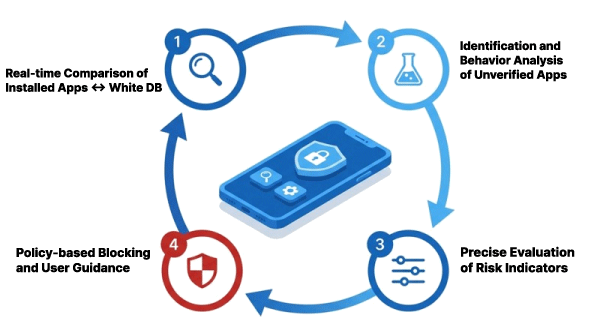
Malicious app detection logic
Threat indicators of unidentified apps are evaluated through real-time comparison of the Whitelist DB. We provide policy-based blocking and safety measure guides.
Product features
Product features
Whitelist-based prior detection
Verifies the source of apps installed on the terminal with an official app market standard detection structure and blocks variant malicious apps at the installation stage.
Integrated response to financial fraud risks
Detects phishing apps, unauthorized apps, and remote operation environments to respond to complex financial fraud scenarios.
Easy introduction and application
Can be applied to existing apps using the SDK method, reducing the development burden and construction period. Minimize.
Operation efficiency and regulatory response
Provides real-time monitoring and supports compliance with financial security regulations.
Key Features
Key Features
Whitelist-based app source verification
On the official app market Verifies the source of the app installed on the terminal based on the registered app information.
App risk analysis
Precisely detects risky malicious apps by comprehensively analyzing the app's characteristics, permissions, and operation information.
Phishing app similarity analysis detection
Phishing apps impersonating financial or public institutions are detected based on name, icon, and UI similarity.
Detection of remote operation environment
Detects whether the terminal is actually under remote control and blocks the risk of malicious device manipulation by a third party.
Classification of malicious app types and policy response
Classifies detected apps by type and enables response policies to be applied. Supported.
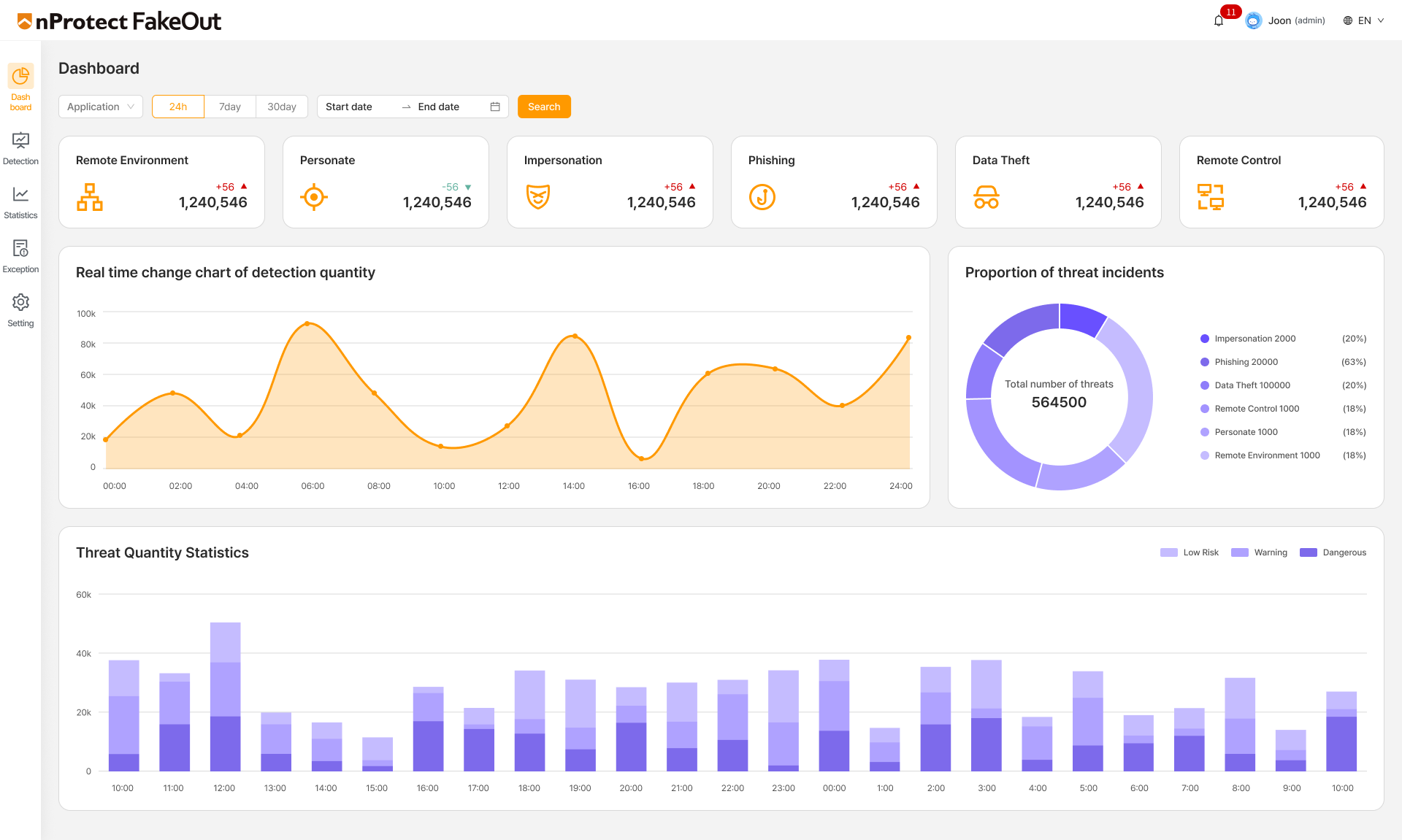
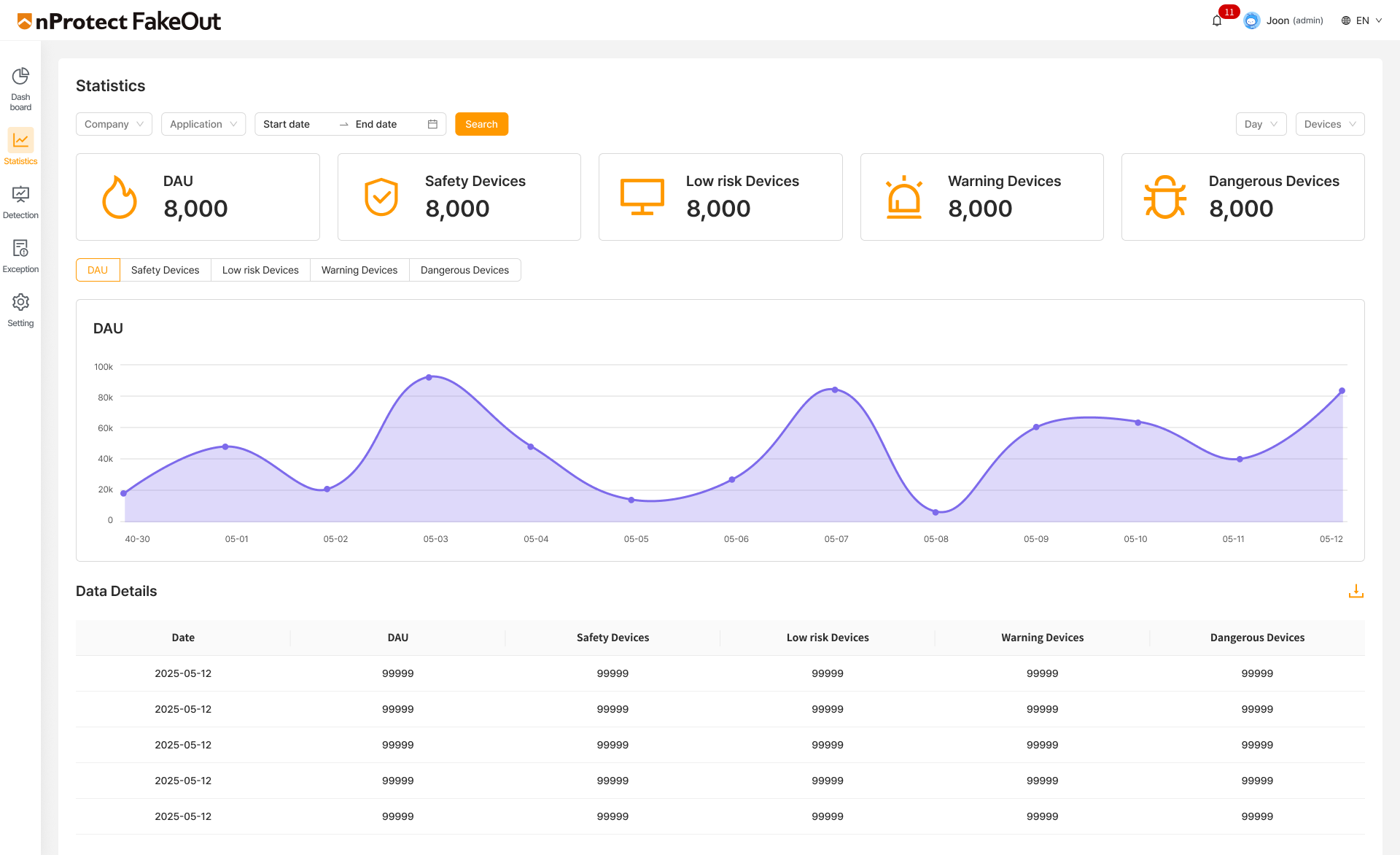
Real-time monitoring management console
Detects malicious apps Status and statistics are provided in real time to help with operational response.
Detailed features
Detailed features
Phishing app detection
Through app similarity inspection and app risk analysis, apps that are maliciously distributed by impersonating financial, police, public institution, or portal apps are detected and blocked.
Detection of unauthorized market apps
Based on a whitelist built with official market apps from around the world, apps from unknown sources are automatically detected and users are notified of risks.
Remote environment detection
Detects and blocks the actual remote operation environment of the terminal, not whether the remote app is installed or executed, protecting users from the risk of malicious device manipulation such as voice phishing. Protects.