Control the central management server and agent to control endpoint media use and manage secure USB import and export in real time.
Monitoring
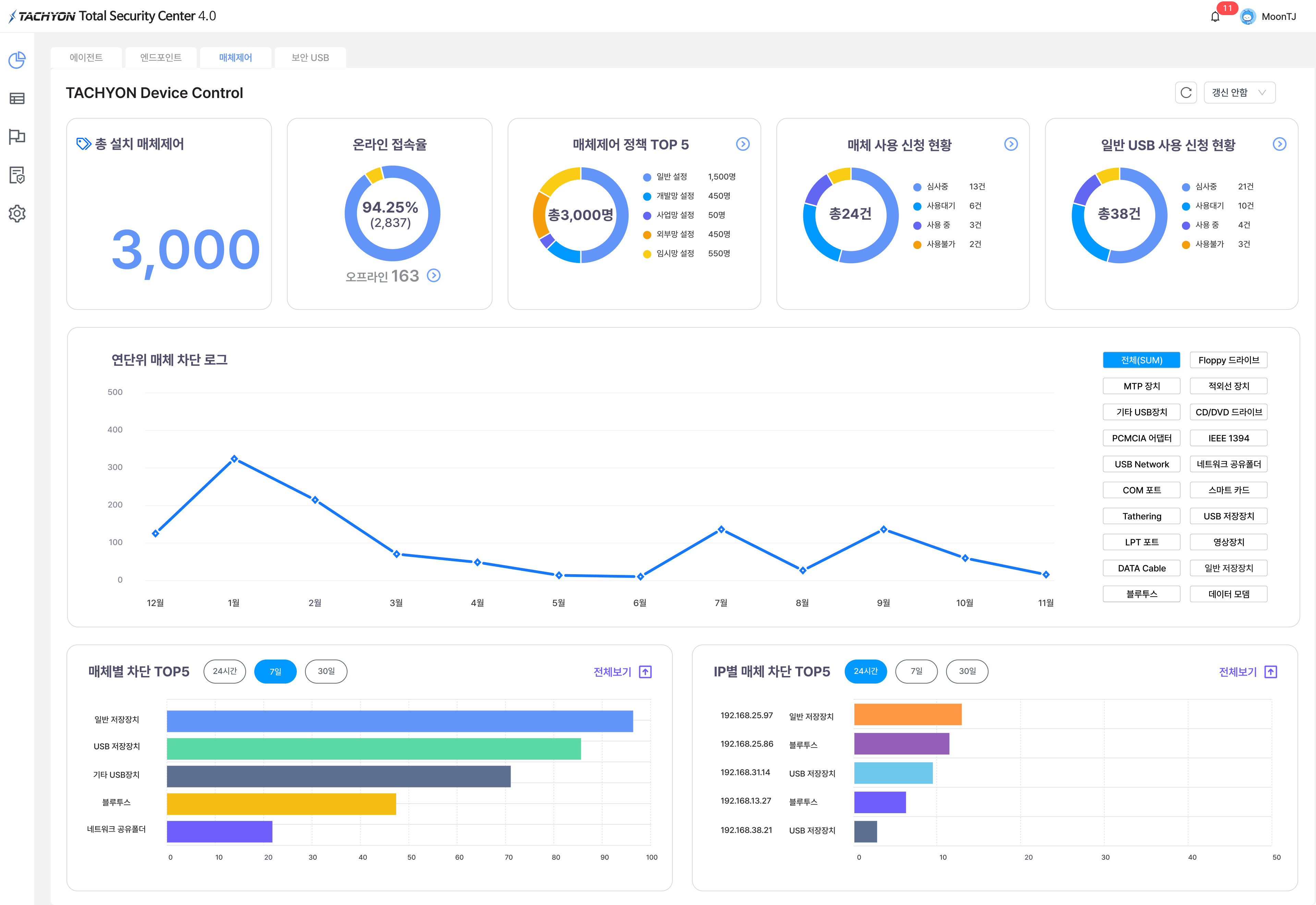
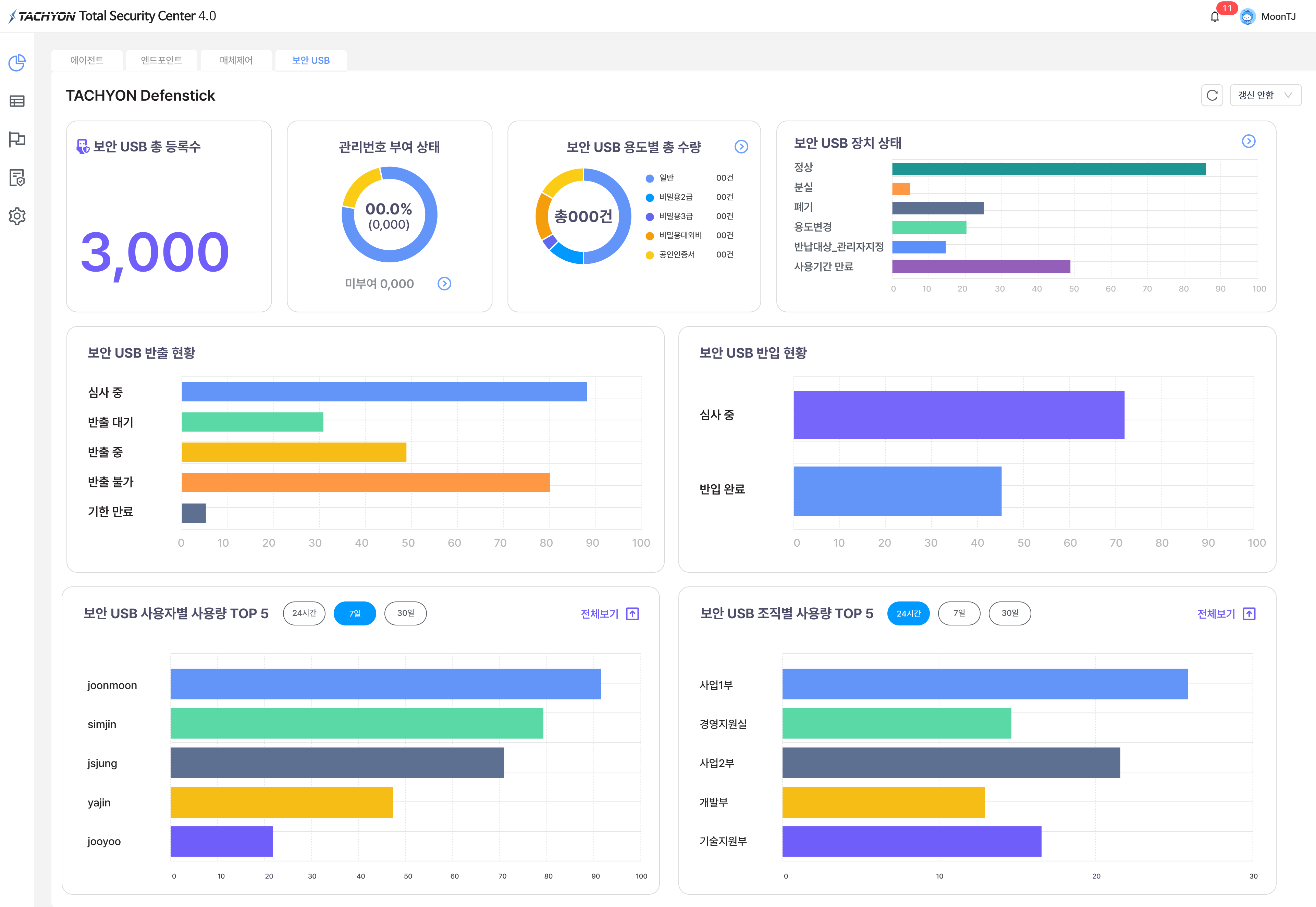
Monitors agent access status, media use, and blocking status in real time.
User information audit
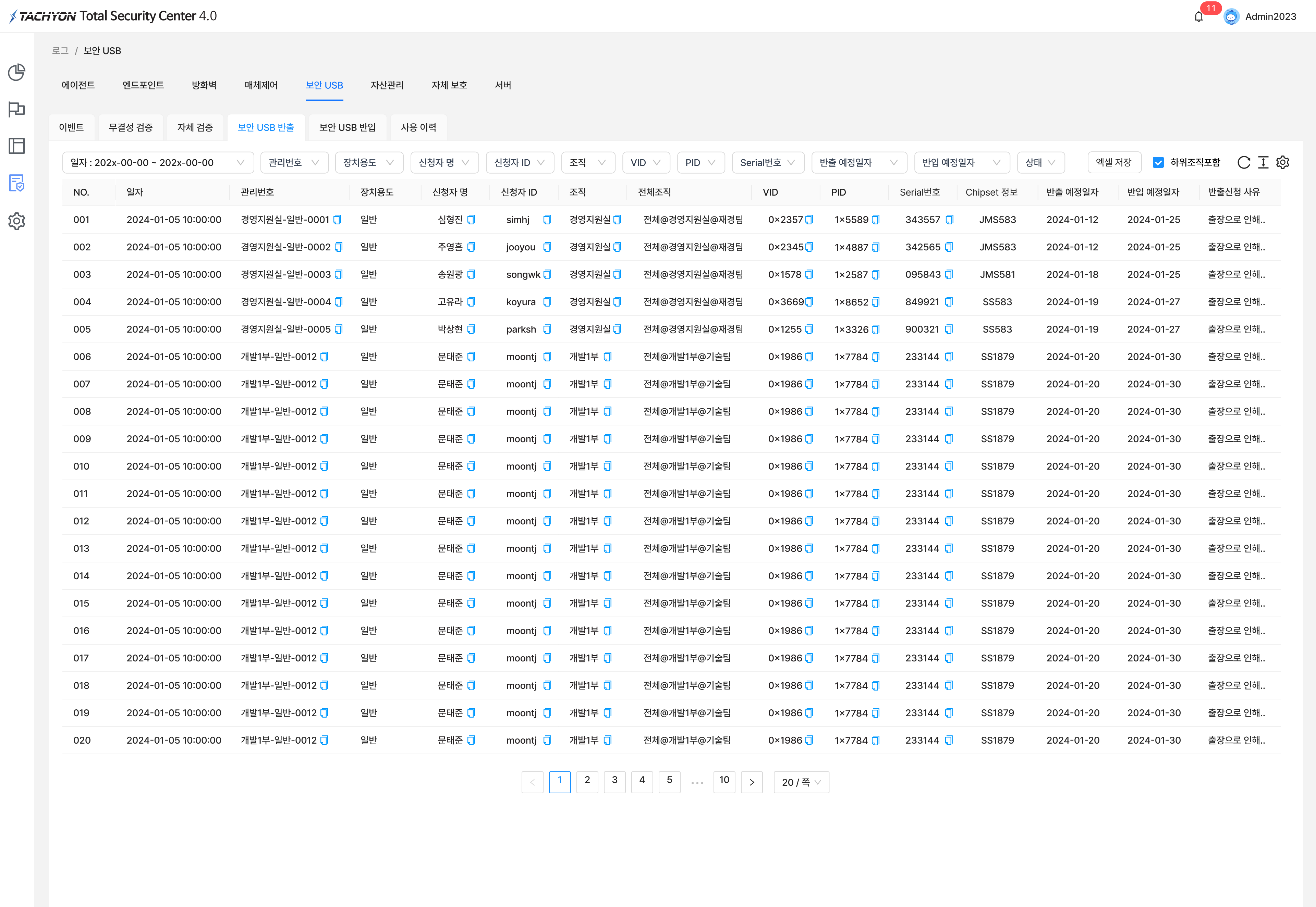
Manages equipment use history, policy violations, and storage media data movement history with audit records.
Media control and control
Controls the use of unauthorized storage media and devices and supports blocking unauthorized export equipment, networks, and bad USB vulnerabilities.
Policy management
Set security policies by organization, user, device, and period and manage policy server communication data. Encryption and integrity are guaranteed.
Original product detail
TACHYON UMS 4.0 Detailed Configuration
TACHYON UMS (USB ManagementㆍDevice Control System) is a media control solution that effectively controls the import, export, and use of various removable storage media, including secure USBs, with flexible security policies for each organization and period to prevent leakage of company information through unauthorized removable storage media.
※ Mac OS media control supportYou can also manage the removable storage media usage policy in the Mac environment.
02Product Overview
Product Overview
Solution to prevent internal information leakage through unauthorized removable storage media
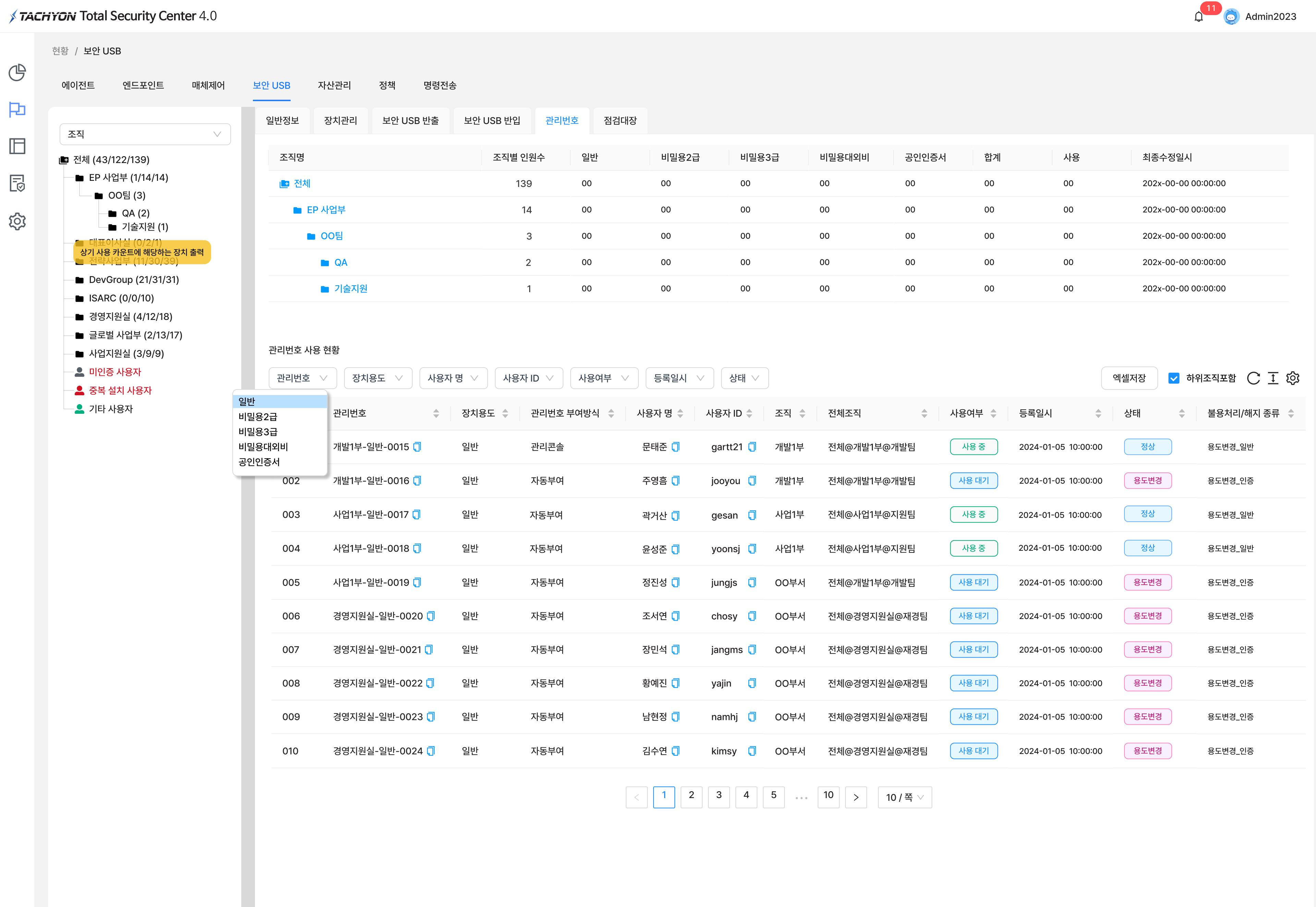
Dashboard - Media ControlDashboard - Secure USBStatusLogs
03Media Types Controllable with TACHYON UMS 4.0
Media Types Controllable with TACHYON UMS 4.0
TACHYON UMS 4.0 supports the establishment of comprehensive measures to prevent information leaks in advance through granular media control such as Wi-Fi, Tethering, and USB Network.
Media control and management
Wi-Fi control
Tethering
USB Network
DATA Cable
Network Shared folder
IEEE 1394
USB storage device
Smart Card
General storage device
Video device
MTP device
Bluetooth
PCMCIA adapter
Floppy Drive
COM port
CD/DVD drive
LPT port
Wireless network HUB
Data modem
Infrared device
UMS 3.5 → UMS 4.0 update details
04H/W-Type Secure USB Features
H/W-Type Secure USB Features
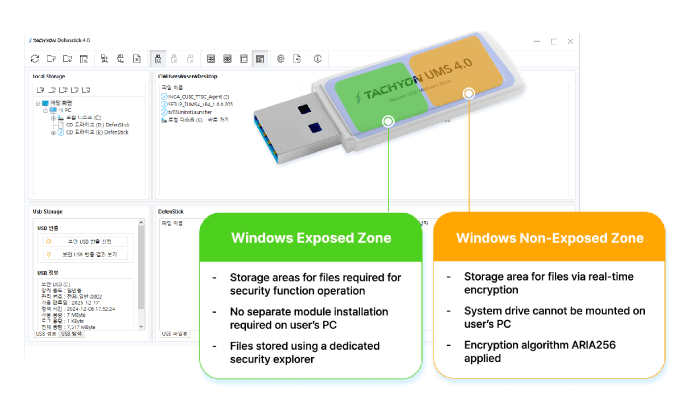
Dedicated security explorer
A dedicated security explorer protects files in the Hidden Security Area and strengthens security to help prevent malware- or ransomware-infected files from being stored on the device.
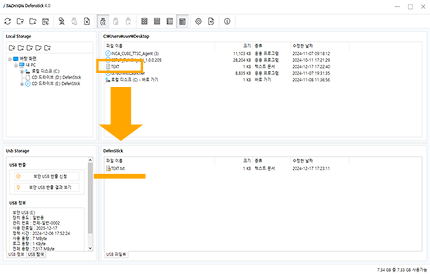
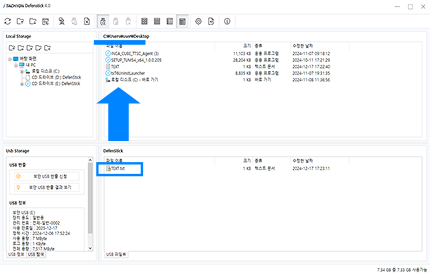
Drag & Drop file encryption/decryption
You can easily perform real-time encryption and decryption with mouse drag & drop.
File EncryptionInstant encryption of files with mouse drag & dropFile DecryptionMouse drag & drop Decrypt files immediately
05macOS Media Control
macOS Media Control
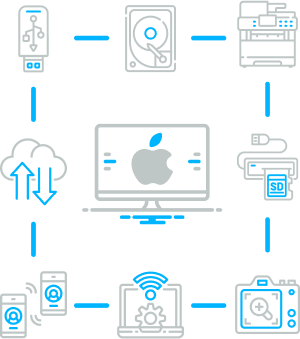
Media control is now available for Mac environments.
Mac OS media control and management
USB Storage
Tethering
AirDrop
SD/CF card
Bluetooth
reader
FileTransfer
CD/DVD
Wifi
WebCam
Universal
Printer
MTP
DigitalCamera / MP3
Thunderbolt
06Secure USB Hardware Specifications
Secure USB Hardware Specifications
Component
Secure USB Memory
Model name
Defenstick
Size (mm)
30 x 17 x 7
Weight (g)
3
Interface
USB 3.0 (USB 1.1 Compatible)
Capacity
8GB, 16GB, 32GB, 64GB, 128GB, 256GB
Read
320 MB/s or higher
Write
260 MB/s or more
07Certifications and System Requirements
Certifications and System Requirements
Meets National Intelligence Service guidelines*Security guidelines for cryptographic module auxiliary storage media
Grade 1 in GS certificationCertification number 24-0451
Acquisition of security function confirmationNational Intelligence Service standard security functions Verification
Usage environment (server environment)
Rocky Linux 9.2 (64bit)
Intel(R) 8 Core CPU 3.0GHz or higher
RAM 32GB or more
HDD 1TB or more
One 1000 Mbps Ethernet network interface
Korean language support
User environment (user environment)
Microsoft Windows 10 Pro (64bit)
Microsoft Windows 11 Pro (64bit)
Intel(R) QuadCore 2.4GHz or higher
RAM 8GB or more
HDD 160GB or higher
One 100 Mbps Ethernet network interface
One 1000 Mbps Ethernet network interface
Korean language support
Usage environment (web console)
Latest version of Microsoft Edge
Latest version of Google Chrome
Korean language support
08Notes
Notes
This product must be used by installing an agent on a computer or server.
To use the product, integration, required software, and recommended versions are required depending on the required service.